Work Order Software
Completely free for 2 team members - all features included. Yes, you read that right. No trial periods that mysteriously end just when you've got everyone on board. No surprise charges. Just free work order software that actually works.
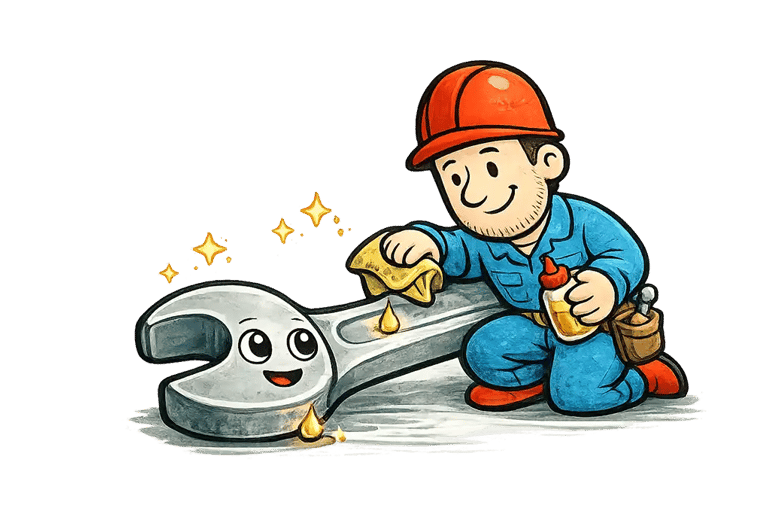
What is a Work Order?
A Work Order is the backbone of 'Getting Stuff Done'.
Ever had that moment when the office printer decides to eat important documents right before a meeting? Or when the AC in your shop floor decides summer is the perfect time to take a vacation? That's when someone (most probably you) throws their fists towards the heavens and exclaims, "We need to put in a work order."
But what exactly is this magical "work order" thing?
At its core, a work order is a formal request to get something fixed, maintained, or installed. Think of it as the paper trail (or digital trail these days) that takes your maintenance problems from "somebody should really fix that" to "somebody is actually fixing that."
Anatomy of a Work Order.
A typical work order includes:
Description: The forklift makes a sound like an angry cat when you back up.
Location: Warehouse B, near the loading dock.
Priority: Fix ASAP unless you want angry cat sounds all day.
Who: Jim from shipping, who is now wearing 'noise canceling' headphones.
When: After Jim's mental breakdown at 9:15 AM.
Why Work Orders matter.
You might think, "Can't I just tell the maintenance guy when I see him in the break room?" Sure, if you want your request to disappear into the void of forgotten break room conversations.
Work orders create accountability. They ensure nothing falls through the cracks and give maintenance teams a way to prioritize tasks. They also create a history of repairs, which is very helpful when that same printer jams for the 5th time in a month, and someone finally asks, "Maybe we should just get a new one?"
SuperCMMS: Free Work Order Software.
You know how it goes in maintenance management - you're juggling work orders on sticky notes, trying to remember which equipment needs attention next, and somehow expected to track it all in one big ancient spreadsheet from 2007. I've been there, desperately searching for a better solution that wouldn't require begging accounting for budget approval. That's where SuperCMMS comes in to help.
What is SuperCMMS, anyway?
SuperCMMS (https://supercmms.com) is exactly what the name suggests - a Computerized Maintenance Management System (CMMS ) that helps you manage your work orders and maintenance operations. The kicker? It's completely free for five team members - all features included. Yes, you read that right. No trial periods that mysteriously end just when you've got everyone on board, no surprise charges, just free work order software that actually works.
My First Week with SuperCMMS
When I first signed up, I was honestly expecting the usual "free but unusable unless you upgrade" experience. I created my account and waited for the sales pitch... but it never came. Instead, I found a clean, intuitive dashboard staring back at me.
Setting up my first work order took about two minutes. Two minutes! Compare that to the 15 - minute ordeal with our previous system (not naming names, but it rhymes with "pain-tenance connection"). I quickly added our equipment inventory, set up a few maintenance schedules, and by lunchtime, I had an organized system that showed exactly what needed attention and when.
The Features that make Maintenance People smile.
SuperCMMS clearly understands what maintenance teams actually need. Here's what you get with this free software:
Simple Work Order Management: Create, assign, and track work orders without needing an engineering degree to navigate the interface.
Equipment Tracking: Keep detailed records of all your assets in one place.
Preventive Maintenance Scheduling: Set up recurring maintenance tasks so nothing falls through the cracks.
Mobile Access: Use it on your phone or tablet while you're on the floor (because who does maintenance sitting at a desk?).
Reporting Tools: Generate reports that actually make sense, so you can show your boss exactly why that one machine keeps breaking down.
The "Too Good To Be True" Question.
I know what you're thinking because I thought it too - what's the catch? How does SuperCMMS make money? Simple, once you cross the two user limit, SuperCMMS charges $15 per user. This is a lot lesser than what most incumbents charge - about 60% lesser.
Real Talk: What could be better?
No software is perfect, and SuperCMMS does have a few limitations. The reporting features, while useful, aren't fully customizable. And if you're managing a massive operation with thousands of assets, you might eventually need something with more horsepower. But there's an API you can use to get data out of SuperCMMS and build your own reports.
For most maintenance teams - especially those fighting with outdated systems - SuperCMMS offers an incredible value proposition.
Getting started Is ridiculously easy.
If you're curious, heading to https://supercmms.com takes you directly to the sign-up page. No sales call required, no credit card information needed. Just create an account, and you can be up and running in minutes.
For maintenance teams struggling with paper systems or expensive, clunky software, SuperCMMS is the breath of fresh air you've been waiting for. Give it a try - your maintenance technicians (and your budget) will thank you.











Get started with SuperCMMS. It's Free.
SuperCMMS is free for 2 team members - forever and all features included. The paid version will save you a ton of money compared to ANY alternative on the market.
Give it a try. Your team, especially the field staff, will love you for it.
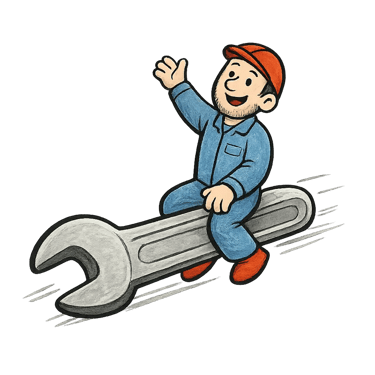
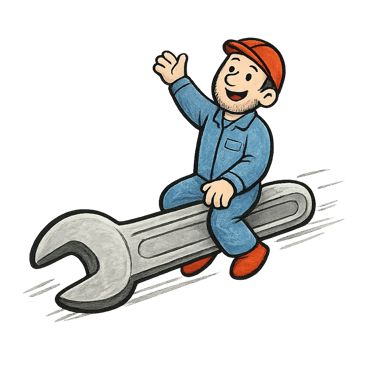
Trusted in 50+ Countries

99.95% Server Uptime
Forever FREE Plan




Use Cases
Hotels / Hospitality
Vehicle Fleet / Logistics
Education
Food & Beverage (F&B)
Sports & Recreation
Construction
Building Management
Facilities Management
Public Services
Manufacturing
SuperCMMS is a free Enterprise Asset Management (CMMS) software for managing your work orders at scale.
Fits All Industries. ❤️ Made for SME's.
-----
Kepler Data Science Pte. Ltd.
68 Circular Rd.
Singapore - 049422
-----
Resources
Maintenance Management
Warehouse Management
Preventive Maintenance
Predictive Maintenance